Article Overview
The AI tools market in 2026 is enormous, confusing, and full of products that call themselves free but lock the useful parts behind a paywall after twenty minutes. This guide cuts through all of that.
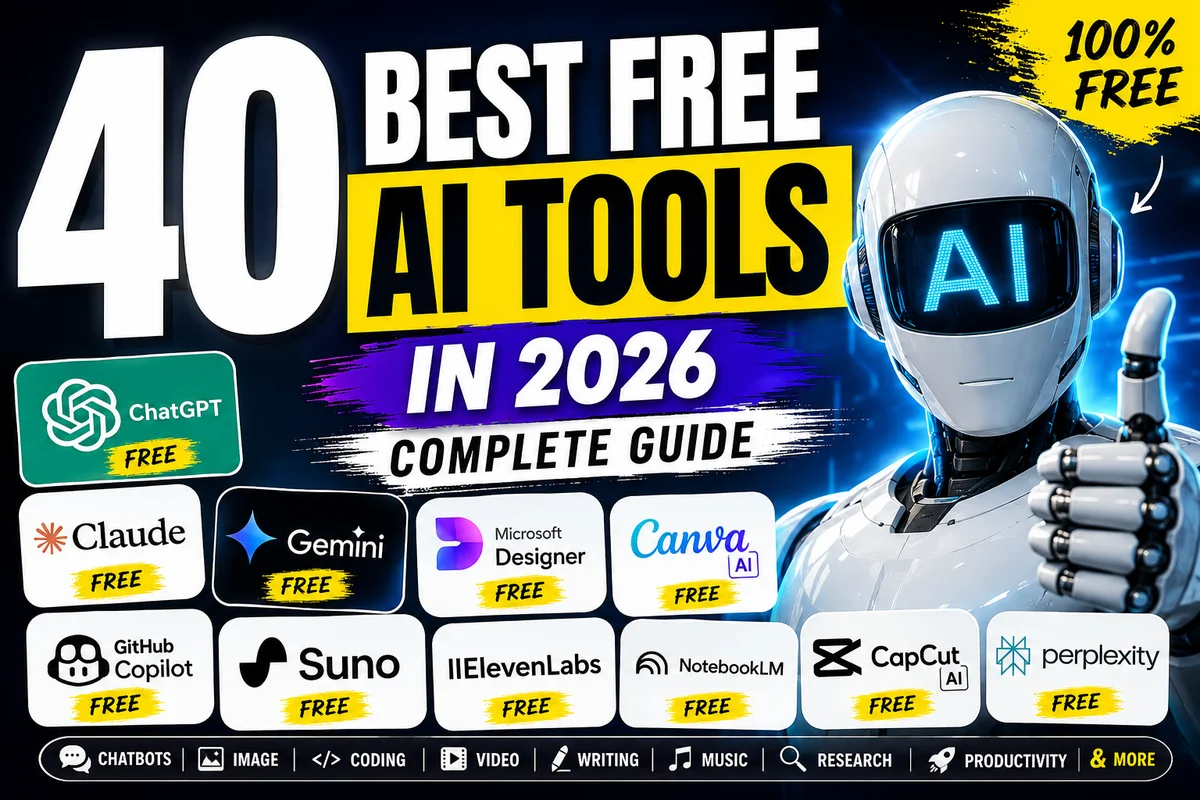
Forty tools. Nine categories. Every one of them genuinely free — not "free for 3 days" or "free if you invite five friends." Real free tiers with real utility, explained honestly including their actual limitations.
You will find the best free AI chatbots and which one wins for your specific use case, the best free image generators including one that handles text in images better than anything else, the free coding tools that have changed how developers work, a free AI music generator that gives you 50 songs per day, a Google tool that turns your documents into a podcast, and a Microsoft tool that gives you DALL-E 3 image generation at zero cost. You will also find out which "free" tools are actually free and which ones are just trials dressed up to look generous.
Whether you are a student, a creator, a developer, a small business owner, or just someone who wants to use AI without paying for it yet — this is the only guide you need.
Introduction
Two years ago, getting access to powerful AI meant either paying a subscription or using tools that felt like rough prototypes. In 2026, that has changed completely. The free tiers of AI tools are genuinely capable. The competition between companies has driven them to offer more for free than most people realize is available.
The challenge is not finding free AI tools — it is knowing which ones are worth your time. Some tools have impressive landing pages and disappointing free limits. Others look niche but turn out to be genuinely useful every day. And most lists of "free AI tools" bury the limitations in fine print.
This guide does not do that. For each tool, you will find exactly what the free tier includes, what it does not include, and who it is actually best for. Everything is organized by category so you can skip straight to what you need right now.
One important distinction before we start: this guide separates three types of "free":
Truly free means unlimited, no credit card, no time limit — just use it. Freemium means a real free tier with genuine capability, but with meaningful limits before you hit a paywall. Free trial means time-limited or credit-limited access that eventually requires payment.
The tools below are primarily freemium with genuinely useful free tiers, unless noted otherwise.
Part One: AI Assistants and Chatbots
These are the tools most people think of first when they hear "AI." The free tiers in 2026 are significantly more capable than they were even a year ago.
ChatGPT — The Biggest Name, Still Worth Using Free
Free tier includes: GPT-4o mini (unlimited), limited GPT-4o access Best for: Writing, research, coding help, general questions, brainstorming Honest limitation: The free tier rotates between GPT-4o mini and GPT-4o depending on server load. During busy periods, you get the smaller model. URL: chat.openai.com
ChatGPT's free tier is genuinely useful for the majority of everyday tasks. GPT-4o mini is not a weak model — it handles writing, analysis, and coding assistance well. The limitation is not quality so much as access to the most advanced reasoning features, which sit behind the Plus and Pro paywalls. For most people doing most tasks, the free tier is enough to get meaningful work done every day.
What makes ChatGPT worth using on the free tier in 2026 specifically is the breadth of what it can do in one interface — write, code, analyze images, browse the web, and generate basic responses across almost every domain you might need.
Claude — Best Writing Quality Among Free Chatbots
Free tier includes: Claude Sonnet access (daily usage cap) Best for: Long documents, nuanced writing, thoughtful analysis, anything where tone and clarity matter Honest limitation: Daily usage limit. Heavy users hit it. Lighter users often do not notice. URL: claude.ai
Claude's free tier offers something the others do not: genuinely superior writing quality. If you have ever used ChatGPT to write something and found it slightly stilted, slightly repetitive, or slightly too formal — Claude is almost always the answer. The writing feels more natural, the analysis is often more nuanced, and the model has a notable ability to handle long, complex documents without losing the thread.
The context window available even on the free tier is large enough to paste in substantial amounts of text — entire articles, chapters, long email threads — and ask Claude to work with all of it at once. For students writing essays, professionals drafting reports, or anyone whose work lives in documents rather than quick questions, Claude's free tier is the strongest option in this category.
Gemini — The Best Free AI If You Live in Google's World
Free tier includes: Gemini 2.0 Flash (unlimited standard usage) Best for: Google Workspace users, real-time information, research connected to current events Honest limitation: Advanced features like longer context and Gemini 2.5 Pro require Google One AI Premium. URL: gemini.google.com
Gemini's free tier in 2026 is powered by Gemini 2.0 Flash — a genuinely capable model that is faster than most people expect. The unique advantage over ChatGPT and Claude on the free tier is the connection to Google Search, which gives Gemini access to current information rather than a knowledge cutoff. If you regularly ask about recent events, current prices, or anything that changes frequently, Gemini's real-time grounding is the free tier advantage that matters most.
For anyone who works in Gmail, Google Docs, Google Sheets, or any other Google product, Gemini's integration across that ecosystem makes it the most practically useful free AI assistant simply because it is already where your work happens.
Microsoft Copilot — Free GPT-4o and Free DALL-E 3 Images
Free tier includes: GPT-4o powered responses via Bing, DALL-E 3 image generation Best for: Web-grounded AI responses, quick image generation, Windows users Honest limitation: More limited customization than ChatGPT directly, image generation has boost limits (then slower). URL: copilot.microsoft.com
The most underrated free AI tool on this list. Microsoft Copilot gives you GPT-4o quality responses for free via Bing, grounded in real-time web results. But the more surprising free feature is DALL-E 3 image generation — the same model that generates images in ChatGPT Plus — available completely free through Bing Image Creator. If you need AI images and do not want to pay, Microsoft Copilot is the answer most people do not know about.
Perplexity AI — The Free AI Built for Research
Free tier includes: Unlimited standard searches, limited Pro searches per day Best for: Research, finding reliable information, anything where sources matter Honest limitation: Pro searches (which use more powerful models) are limited on free. URL: perplexity.ai
Perplexity sits in a category of its own. It is not trying to be a general-purpose chatbot. It is trying to be the most reliable way to find accurate, cited information using AI. Every response includes numbered citations with links to the actual sources. When accuracy matters more than creativity — medical questions, legal concepts, financial facts, current events — Perplexity is the most trustworthy free AI option because it shows you exactly where the information came from.
Grok — The Only AI With Real-Time Twitter and X Data
Free tier includes: Grok 2 with limited daily queries Best for: Current events, social media trends, what people are saying about a topic right now Honest limitation: Query limits on free, requires X account. URL: x.ai or within the X app
If your work involves monitoring what people are saying about a topic, brand, event, or person in real time — Grok is uniquely valuable because no other AI has live access to X's data stream. For journalists, marketers, creators tracking trends, or anyone whose questions require knowing what is happening on social media right now, Grok fills a gap that ChatGPT, Claude, and Gemini cannot.
Part Two: AI Writing Tools
These tools are specialized for writing tasks rather than general conversation. Each one solves a specific writing problem better than a general chatbot would.
Grammarly — The Browser-Wide Writing Assistant
Free tier includes: Grammar and spelling correction, basic tone suggestions, browser extension Best for: Professional writing, emails, any writing that needs to be polished Honest limitation: Plagiarism detection, full rewrites, and advanced suggestions require Premium. URL: grammarly.com
Grammarly's free tier is genuinely useful in a specific way: it runs everywhere. Once you install the browser extension, it checks your writing in Gmail, LinkedIn, Twitter, any web form, any text box. The free version catches grammar and spelling reliably, which is enough for many people who just need a consistent safety net under their written communication.
QuillBot — The Best Free Paraphrasing Tool
Free tier includes: Paraphrasing tool (125 word limit per use), summarizer, grammar checker Best for: Academic writing, rewording existing content, simplifying complex text Honest limitation: The 125-word limit per paraphrase makes it slow for long documents. URL: quillbot.com
For students and academic writers specifically, QuillBot's paraphrasing tool is the most useful free writing AI available. It offers multiple modes — standard, fluency, formal, creative — giving you control over how aggressively it rewrites. The summarizer works on longer texts. The word limit per session is the main friction, but most academic use cases involve sentence-level or paragraph-level work rather than entire documents at once.
Hemingway Editor — Make Your Writing Clearer
Free tier includes: Full readability analysis in the browser version (completely free) Best for: Simplifying complex writing, identifying passive voice and weak adverbs, readability scoring Unique: Completely free in the browser with no account required. URL: hemingwayapp.com
Hemingway Editor does one thing and does it well: it tells you where your writing is too complex. It highlights sentences that are hard to read in yellow, very hard to read in red, passive voice in green, adverbs in blue, and complex words that have simpler alternatives in purple. Paste anything in, and within seconds you understand exactly why your writing is harder to follow than it needs to be. The browser version is entirely free with no registration required.
Part Three: AI Image Generation
Free image generation has improved dramatically in 2026. Several tools now offer meaningful free tiers with genuinely impressive quality.
Microsoft Designer / Bing Image Creator — Free DALL-E 3
Free tier includes: DALL-E 3 image generation (boost credits for fast generation, then slower but still free) Best for: Quick images for social media, presentations, thumbnails URL: bing.com/images/create or designer.microsoft.com
The most important thing to know: this is DALL-E 3 — the same model that generates images in ChatGPT Plus — completely free. You get a limited number of "boost" credits for fast generation each month, but even after those run out, generation continues at a slower speed. There is no hard paywall stopping you from generating images. For anyone who needs AI images without paying, this is the first place to look.
Ideogram — Best for Text Inside Images
Free tier includes: 10 free images per day Best for: Any image that needs readable text — social media graphics, quotes, signs, posters, thumbnails URL: ideogram.ai
Every other image generation model struggles with text. They produce blurry, misspelled, or distorted letters that look recognizable as text from a distance but fall apart when you look closely. Ideogram is the exception. It renders legible, correctly spelled text within images reliably — making it the go-to tool for anything that needs words and visuals together. Ten free images per day is enough for most casual use and regular content creation.
Adobe Firefly — The Safe Choice for Commercial Use
Free tier includes: 25 generative credits per month Best for: Images you plan to use commercially, professional work where copyright matters URL: firefly.adobe.com
The unique selling point of Adobe Firefly is not quality — it is training data. Firefly was trained exclusively on Adobe Stock images and openly licensed content, which means the outputs are commercially safe to use. Other AI image generators raise questions about whether their outputs infringe on existing artwork. Firefly does not. For anyone creating images for business use, products, or anything commercial, Firefly's free tier is the responsible starting point. Twenty-five credits per month is limited but adequate for occasional use.
Playground AI — Highest Free Volume
Free tier includes: 100 images per day Best for: Experimentation, artistic styles, learning what AI image generation can do URL: playground.com
A hundred images per day on the free tier is significantly more generous than most competitors. For creators who want to experiment with AI image generation, try different styles, or iterate quickly through ideas, Playground offers the most creative runway without paying anything.
Stable Diffusion — Maximum Control, Completely Free
Free tier includes: Everything (it is open source) Best for: Maximum quality control, custom styles, privacy-conscious users Honest reality: Running it locally requires a decent GPU and some technical setup. Browser-based options exist with their own free limits. URL: stability.ai and various platforms
Stable Diffusion is open source, which means the model weights are free to download and run locally on your own computer. No usage limits, no subscription, no data sent to any server. The tradeoff is technical setup — running it yourself requires comfort with command-line tools and a GPU with enough memory. For people who want maximum control, maximum privacy, and zero ongoing cost, the investment in setup pays off indefinitely.
Part Four: AI Video Tools
Free AI video tools range from practical editors to experimental generators. Expectations should be calibrated to the category.
CapCut — The Most Practical Free AI Video Tool
Free tier includes: Full AI video editor — auto captions, background removal, templates, AI effects Best for: Social media videos, TikTok, Instagram Reels, YouTube Shorts URL: capcut.com
CapCut's free tier is genuinely comprehensive for social media video editing. The auto-caption feature alone — which transcribes and overlays captions automatically — saves significant time for anyone who posts videos regularly. Background removal, AI-powered templates, and a library of effects all sit in the free tier. For short-form social content, CapCut is the most useful free video tool by a meaningful margin.
Runway — The Best Free AI Video Generation
Free tier includes: Limited free credits for video generation Best for: AI-generated video clips, turning images into video, visual effects Honest limitation: Credits run out quickly, and the free tier is genuinely limited. It is more of a test drive than a working free tier. URL: runwayml.com
Runway is the most capable AI video generation tool available to try for free. The quality of its Gen-3 Alpha model for generating short video clips from text or images is among the best available anywhere. The limitation is that the free credits run out fast. Think of the free tier as a demonstration of what is possible rather than a sustained working tool — but it is worth experiencing to understand where AI video generation has reached.
Clipchamp — Free Video Editor With AI Features
Free tier includes: Full video editor, AI auto-captions, text overlays Best for: Standard video editing with AI assistance, Windows integration URL: clipchamp.com
Microsoft's Clipchamp is fully functional as a video editor on the free tier, with AI caption generation and text overlays included. For anyone on Windows who needs a basic video editor with AI features and does not want to install additional software, Clipchamp is the zero-friction option built directly into the Microsoft ecosystem.
Part Five: AI Coding Tools
The free tier for AI coding tools improved significantly in 2024 when GitHub changed its Copilot pricing. Multiple strong options now exist.
GitHub Copilot — 2,000 Free Completions Per Month
Free tier includes: 2,000 code completions per month, 50 chat messages per month Best for: Code completion while typing, explaining existing code, debugging assistance URL: github.com/features/copilot
GitHub changed Copilot's pricing model to offer a genuine individual free tier — 2,000 code completions per month and 50 chat interactions. For developers who use AI assistance moderately rather than constantly, this covers a meaningful portion of real work. The integration into VS Code is seamless, and the quality of completions remains among the strongest available. If you write code and have not tried Copilot, the free tier is now a reasonable starting point.
Codeium and Windsurf — Genuinely Unlimited Free Completions
Free tier includes: Unlimited code completions across 70+ programming languages Best for: Developers who want AI completion without usage limits URL: codeium.com / windsurf.com
Where GitHub Copilot's free tier has a 2,000 completion limit, Codeium offers unlimited code completions with no monthly cap. Across more than 70 programming languages, Codeium works as a VS Code extension or in other IDEs and provides in-line suggestions as you type. For developers who use AI completion constantly and find the Copilot free limit insufficient, Codeium is the straightforward alternative.
Cursor — An Entire IDE Built Around AI
Free tier includes: 50 slow requests per month Best for: Developers who want AI integrated at every level of the coding experience, not just completion URL: cursor.com
Cursor is not a plugin for an existing editor. It is a code editor built from the ground up with AI at the center. Every feature — code generation, explanation, refactoring, debugging, codebase-wide search and modification — runs through AI. The free tier's 50 slow requests per month is genuinely limited for daily use, but Cursor is worth experiencing to understand what AI-native development actually feels like. Many developers who try Cursor find they cannot go back to standard editors.
Replit — Code in the Browser With AI, No Setup
Free tier includes: Browser-based coding environment with AI assistance Best for: Beginners learning to code, quick web app prototypes, no-setup experiments URL: replit.com
Replit runs entirely in the browser, which means no installation, no environment setup, no dependency management. You write code, run it, and see the result — all in the same window. The AI features help beginners who get stuck and experienced developers who want to spin up a quick prototype without setting up a local environment. For learning to code specifically, Replit's combination of instant feedback and AI assistance makes it one of the most practical free tools available.
Part Six: AI Productivity Tools
Tools that make existing work faster and more organized rather than generating new content.
NotebookLM — Turn Your Documents Into a Podcast
Free tier includes: Document upload, AI analysis, audio overview generation, Q&A with your documents Best for: Research, studying, understanding long documents, summarizing complex materials URL: notebooklm.google.com
NotebookLM is one of the most genuinely surprising free AI tools available in 2026. You upload documents — PDFs, articles, notes, research papers — and it creates an AI that knows your specific content and can answer questions about it. The standout feature is audio overviews: NotebookLM generates a podcast-style conversation between two AI hosts who discuss and explain your uploaded materials in natural dialogue. For students processing research papers, professionals understanding long reports, or anyone who learns better by listening than reading, this feature is uniquely useful.
Gamma — Beautiful Presentations From a Prompt
Free tier includes: Limited AI presentation credits Best for: Creating professional-looking presentations without design skills Honest limitation: Free credits run out, and the watermark appears on free exports. URL: gamma.app
Describe a topic and Gamma generates a complete, visually polished presentation — with layouts, color schemes, and structure — in seconds. The output looks like something a designer created, not something assembled from a template. The free credits are limited, making it more useful for occasional presentation creation than for daily use. But for anyone who needs to create a presentation quickly and does not have design skills, Gamma's free tier produces results that would otherwise require hours in PowerPoint or Canva.
Canva AI — Design and AI in One Place
Free tier includes: Thousands of templates, limited Magic Write (AI text generation), limited AI image generation Best for: Social media graphics, presentations, posters, thumbnails — anything visual URL: canva.com
Canva's free tier remains one of the most useful free creative tools available regardless of the AI features. The AI additions — text generation and image generation within the design interface — add capability to an already strong base. For anyone who regularly creates visual content for social media, presentations, or marketing materials, Canva's free tier covers the majority of everyday design needs without requiring any design background.
Part Seven: AI Audio and Music Tools
This is the category with the most surprising free options in 2026. Several tools here offer capabilities that would have cost significant money just a year ago.
Suno — 50 Free AI Songs Every Day
Free tier includes: 50 songs per day (credits refresh daily) Best for: Creating original music from text descriptions, background music, creative projects URL: suno.com
Suno generates complete songs — with lyrics, instrumentation, and vocals — from a text description. Tell it the genre, mood, theme, and style and it produces a full track in seconds. The free tier gives you 50 songs per day with daily credit refresh, which is genuinely generous for most creative use cases. Generated songs on the free tier are available for personal use and creative projects. For content creators who need background music, musicians looking for inspiration, or anyone who wants to experiment with AI music, Suno's free tier is among the most fun AI tools available.
ElevenLabs — Most Realistic Free AI Voice
Free tier includes: 10,000 characters of text-to-speech per month Best for: Voiceovers, narration, creating audio content from written text URL: elevenlabs.io
ElevenLabs produces the most realistic AI voice synthesis currently available. The free tier gives you 10,000 characters per month — roughly 1,500 to 2,000 words — which covers a meaningful amount of voiceover content. The voices sound natural rather than robotic, with appropriate pacing, emphasis, and emotional tone. For YouTube creators who want voiceovers for their content, educators creating audio materials, or anyone who needs to convert written content to speech, ElevenLabs is the strongest free option in this category.
Adobe Podcast — Make Any Microphone Sound Professional
Free tier includes: Speech enhancement (removes background noise, improves audio quality) Best for: Podcasters, anyone recording audio on a laptop microphone or basic setup URL: podcast.adobe.com
Adobe Podcast's enhance speech feature is free and does something remarkable: it takes audio recorded on a low-quality microphone in a noisy room and makes it sound like it was recorded in a professional studio. Background noise disappears. Clarity improves dramatically. For anyone creating audio content — podcasters, teachers recording lessons, remote workers in imperfect environments — this free tool solves a real problem without requiring expensive equipment.
Udio — High Quality AI Music
Free tier includes: Limited free music generation credits Best for: High-quality AI music generation, exploring different musical styles URL: udio.com
Udio is the strongest competitor to Suno in the free AI music generation space. The free credits are more limited than Suno's daily refresh model, but the quality of output is notably high. For creators who want to compare AI music generation tools before committing to either, trying both Suno and Udio on their free tiers gives a clear picture of what each does best.
Part Eight: AI Research Tools
Tools that make finding, processing, and understanding information faster and more accurate than standard search.
Perplexity AI — Cited Research From the Actual Web
Already covered in the chatbot section, but worth restating here: for research specifically, Perplexity's free tier is the most reliable option available. Every answer includes citations. You can follow the sources and verify the information. For academic research, professional research, or any situation where accuracy matters more than creativity, Perplexity is the correct tool.
Elicit — Find Research Papers on Any Topic
Free tier includes: Limited paper searches and AI analysis Best for: Academic research, literature reviews, understanding what research exists on a topic URL: elicit.com
Elicit searches academic literature — peer-reviewed papers, not just web results — and uses AI to summarize the findings. Ask it a research question and it surfaces the most relevant papers with AI-generated summaries of their key findings, methodology, and conclusions. For students, researchers, or anyone who needs to understand a body of academic work quickly, Elicit provides access to research that would take hours to find and summarize manually.
Consensus — What Does the Science Actually Say
Free tier includes: Limited searches per month Best for: Questions where scientific consensus matters — health, nutrition, psychology, climate URL: consensus.app
Consensus specifically answers questions using peer-reviewed research and tells you what percentage of relevant studies support a given conclusion. When someone claims a supplement works, a diet approach is effective, or a psychological intervention is evidence-based, Consensus lets you check what the actual research says rather than relying on individual articles or opinions.
The Complete Tool Reference Table
Tool | Category | Free Tier Quality | Best Single Use |
|---|---|---|---|
ChatGPT | AI Assistant | Very good | General tasks, writing, coding |
Claude | AI Assistant | Excellent | Writing quality, long documents |
Gemini | AI Assistant | Very good | Real-time info, Google users |
Microsoft Copilot | AI Assistant | Good | Free DALL-E 3 images |
Perplexity | Research | Excellent | Reliable cited research |
Grok | AI Assistant | Good | Real-time X/Twitter data |
Grammarly | Writing | Good | Browser-wide grammar checking |
QuillBot | Writing | Good | Academic paraphrasing |
Hemingway | Writing | Excellent | Readability improvement |
Bing Image Creator | Images | Excellent | Free DALL-E 3 generation |
Ideogram | Images | Excellent | Text inside images |
Adobe Firefly | Images | Good | Commercial-safe images |
Playground AI | Images | Very good | High volume experimentation |
CapCut | Video | Excellent | Social media video editing |
Runway | Video | Limited | AI video generation trial |
Clipchamp | Video | Good | Basic editing on Windows |
GitHub Copilot | Coding | Good | Code completion with limits |
Codeium | Coding | Excellent | Unlimited code completion |
Cursor | Coding | Limited | AI-native IDE experience |
Replit | Coding | Good | Browser-based coding |
NotebookLM | Productivity | Excellent | Document Q&A and audio overviews |
Gamma | Productivity | Good | AI presentations |
Canva AI | Productivity | Very good | Visual content creation |
Suno | Music | Excellent | 50 free songs per day |
ElevenLabs | Voice | Good | Realistic text-to-speech |
Adobe Podcast | Audio | Excellent | Voice quality enhancement |
Udio | Music | Good | High quality music generation |
Elicit | Research | Good | Academic literature search |
Consensus | Research | Good | Science-backed answers |
How to Choose: The Quick Decision Guide
You want a general AI assistant → Start with Claude for writing quality, ChatGPT for versatility, Gemini if you use Google products.
You need free AI images → Start with Bing Image Creator for DALL-E 3 quality, Ideogram if the image needs text, Adobe Firefly if it is for commercial use.
You write code → Codeium for unlimited completions, GitHub Copilot for VS Code integration, Cursor to experience AI-native editing.
You create video content → CapCut for social media editing, Runway to try AI video generation.
You need research help → Perplexity for reliable cited answers, Elicit for academic papers, Consensus for scientific questions.
You want to create music → Suno for volume and fun, Udio for quality.
You need better audio → Adobe Podcast to improve your recordings, ElevenLabs for text-to-speech voiceovers.
You work with documents and research → NotebookLM is the most underrated free AI tool available.
You want to make writing clearer → Hemingway Editor in the browser, completely free with no account.
Final Takeaway
The free AI tools available in 2026 are genuinely capable. You do not need to spend money to access AI that can improve your writing, generate images, help you code, create music, analyze your documents, and assist with research. The tools in this guide cover all of those needs at zero cost.
The key is matching the right tool to the right task. A general chatbot is not the right tool for finding research papers. An image generation tool is not the right tool for checking your writing. A coding assistant is not the right tool for editing videos. Each category has a best free option for its specific job, and now you know what each of them is.
Start with the tools in the category that matters most to your current work. Try the free tier honestly for a week. You will quickly learn which limitations matter for how you actually work and which ones you never hit. Most people find that the free tiers cover more than they expected.
Note: Free tier features and limits change frequently as AI companies update their products. Verify current offerings directly at each tool's website before making decisions based on specific features or limits.